


Your Guide to the Uconnect® App
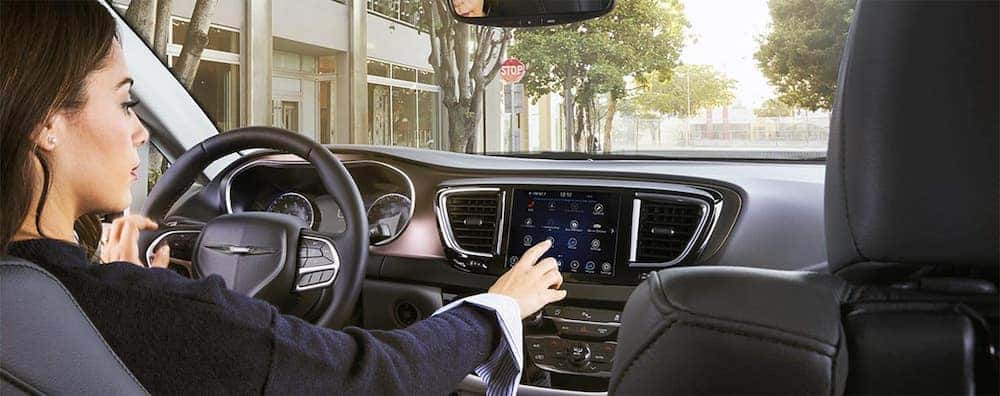
The Uconnect® app and connected vehicle services allow drivers of compatible Chrysler, Dodge, Jeep, and Ram vehicles to access remote vehicle controls, navigation tools, vehicle information, and available safety features through their smartphones. Depending on the vehicle’s model year, equipment, and subscription, drivers may be able to start their engine remotely, lock or unlock doors, locate their parked vehicle, and receive maintenance alerts. Newer vehicles use brand-specific mobile apps, while certain older models support Uconnect Access or SiriusXM Guardian™ services. At Sid Dillon, we help drivers throughout Lincoln, Omaha, Fremont, and surrounding Nebraska communities understand the technology available in their vehicles. Learn how Uconnect works, which connected services are available, and how to get started.
What Is the Uconnect App and How Does It Work?
The Uconnect app connects compatible vehicles to smartphone-based services that let owners access selected vehicle functions and information remotely. Uconnect is primarily the in-vehicle infotainment system found in many Chrysler, Dodge, Jeep, and Ram models, while connected services extend certain capabilities beyond the vehicle’s touchscreen.
Drivers shopping for a new Chrysler, Dodge, Jeep, or Ram vehicle can find different connected technologies depending on the model and equipment. Current vehicles generally use dedicated Chrysler, Dodge, Jeep, or Ram mobile apps, which integrate with their respective connected-service platforms.
These services use the vehicle’s built-in connectivity, an associated owner account, and the mobile app to communicate with compatible vehicle systems. Some features also require an active service plan and sufficient cellular coverage.
- Remote vehicle controls: Start or stop the engine, lock or unlock doors, and activate other supported commands using a compatible smartphone.
- Vehicle information: Access available vehicle health reports, maintenance reminders, service information, and other ownership details.
- Navigation assistance: Search for destinations on your smartphone and send them to a compatible vehicle navigation system.
- Vehicle location: Use available Vehicle Finder technology to locate your parked vehicle.
- Safety and security: Access supported emergency assistance features, security alerts, and other connected services.
- In-vehicle connectivity: Certain vehicles offer Wi-Fi hotspot access, connected navigation, and entertainment services through compatible equipment and data plans.
The features available to an individual driver depend on the vehicle’s model year, Uconnect generation, installed equipment, and connected-service subscription. Not every vehicle supports every remote command or mobile app function.
Uconnect App Features: Remote Start, Vehicle Finder, and Navigation
The most useful Uconnect connected-service features provide remote access to everyday vehicle functions, help owners manage vehicle information, and simplify navigation. These capabilities can be especially convenient during Nebraska’s cold winters, hot summers, and everyday commuting conditions.
Remote Vehicle Start and Door Lock Controls
Remote vehicle start allows drivers with compatible equipment and an eligible connected-service plan to start their vehicle using a smartphone. This can help prepare a vehicle’s cabin before departure when the vehicle’s climate control system supports the desired settings.
- Remote Start: Start the engine remotely when the vehicle supports the feature and required operating conditions are met.
- Remote Lock and Unlock: Secure or unlock compatible vehicle doors through the mobile app.
- Remote Horn and Lights: Activate available horn and lighting functions to help locate a vehicle in a parking area.
- Remote Command Status: Receive available app notifications indicating whether a command has been received or completed.
Remote start availability varies by vehicle and connected-service plan. The feature must be used in accordance with applicable safety requirements, including avoiding engine operation in enclosed or poorly ventilated spaces.
Vehicle Finder and Send & Go Navigation
Vehicle Finder and Send & Go help drivers locate their vehicle and transfer destinations to a compatible built-in navigation system. These location-based services can reduce the need to manually enter an address after getting into the vehicle.
- Vehicle Finder: Displays the vehicle’s reported location on a smartphone map when the feature is supported and active.
- Send & Go: Allows drivers to search for a destination on their phone and send it to the vehicle’s compatible navigation system.
- Location-Based Services: Certain connected-service plans provide additional destination searches, navigation information, and location tools.
Vehicle Finder is designed to help locate a parked vehicle and is not a substitute for a dedicated stolen vehicle recovery service. Navigation and location functions may require GPS availability, cellular connectivity, compatible hardware, and an eligible subscription.
Vehicle Health Reports and Maintenance Alerts
Available Uconnect connected services can provide vehicle health information and maintenance notifications to help owners monitor their vehicle’s condition. Depending on the model and service platform, these tools may include diagnostic reports, maintenance reminders, and alerts related to certain vehicle systems.
- Vehicle Health Reports: Summarize available diagnostic and vehicle condition information collected by supported onboard systems.
- Maintenance Notifications: Provide reminders or alerts about certain vehicle maintenance needs.
- Service Scheduling: Allow owners to find a preferred dealership and access available service scheduling tools.
- Vehicle Information: Provide access to supported ownership information, including vehicle details and available maintenance records.
These tools help owners stay informed, but they do not replace scheduled maintenance, dashboard warnings, or professional vehicle inspections. Drivers who receive a maintenance notification can contact a Sid Dillon service department for assistance.
What Is Uconnect Access?
Uconnect Access is an earlier generation of connected vehicle services offered on certain Chrysler, Dodge, Jeep, and Ram vehicles. It was designed to extend compatible Uconnect infotainment features through smartphone connectivity and vehicle communication services.
Depending on the vehicle and original equipment, Uconnect Access included capabilities such as remote vehicle functions, vehicle health information, emergency assistance, and other connected features.
- Vehicle Health Information: Certain equipped vehicles provided diagnostic reports or maintenance-related information.
- Remote Vehicle Functions: Supported vehicles offered smartphone access to selected remote commands.
- Wi-Fi Hotspot: Some vehicles offered an in-vehicle Wi-Fi hotspot with a separate data service.
- Entertainment and Navigation: Compatible Uconnect systems provided access to selected media, communication, and navigation features.
Uconnect Access availability and functionality depend on the vehicle’s original equipment and the continued support of its connected-service platform. Owners of older vehicles should confirm which services remain available rather than assuming that features offered when the vehicle was new are still active.
What Is SiriusXM Guardian and What Features Does It Include?
SiriusXM Guardian™ is a connected-service platform available on certain Chrysler, Dodge, Jeep, and Ram vehicles. It provides eligible owners with remote convenience features, navigation assistance, and access to selected safety and security services through compatible vehicle systems and mobile apps.
Specific services depend on the vehicle, equipment, active subscription, and service availability. SiriusXM Guardian is also distinct from a standard SiriusXM satellite radio subscription.
SiriusXM Guardian Remote and Convenience Features
Eligible SiriusXM Guardian plans provide smartphone-based controls and location tools that make certain vehicle functions accessible without being inside the cabin.
- Remote Vehicle Start: Start a compatible vehicle remotely to prepare for a trip.
- Remote Door Lock and Unlock: Lock or unlock supported vehicle doors using the mobile app.
- Remote Horn and Lights: Activate the vehicle’s horn and lights to assist with locating it.
- Send & Go: Search for destinations on a smartphone and transfer them to a compatible vehicle navigation system.
- Vehicle Finder: View the reported location of a parked vehicle using the mobile app.
For drivers traveling around Lincoln, Omaha, Fremont, or Blair, these features can be useful when preparing for winter temperatures, navigating unfamiliar destinations, or locating a vehicle in a crowded parking lot.
SiriusXM Guardian Safety and Security Features
Available SiriusXM Guardian safety and security services can help drivers contact assistance, receive certain security notifications, and support law enforcement following a reported vehicle theft.
- SOS Call: Connects occupants to an emergency assistance operator using the vehicle’s supported SOS system.
- Roadside Assistance Call: Provides access to roadside assistance coordination for situations such as a flat tire, fuel shortage, or other vehicle-related problem.
- Stolen Vehicle Assistance: Can assist law enforcement with locating an eligible stolen vehicle after the required police report and service procedures are completed.
- Theft Alarm Notifications: Certain vehicles can send supported alerts when their theft alarm is triggered.
- Customer Care Assistance: Provides access to assistance with certain connected-service account or feature questions.
Emergency, roadside, and security services are subject to vehicle compatibility, network coverage, subscription requirements, and service limitations. Stolen Vehicle Assistance does not guarantee vehicle recovery, and emergency services should not be treated as a replacement for directly contacting emergency responders when necessary.
Uconnect vs. Chrysler, Dodge, Jeep, and Ram Apps: What’s the Difference?
Uconnect refers to the vehicle’s infotainment technology, while the Chrysler, Dodge, Jeep, and Ram apps provide smartphone access to compatible connected vehicle services. The in-vehicle system and mobile app work together, but they serve different purposes.
Modern connected-service platforms are generally branded Chrysler Connect, Dodge Connect, Jeep Connect, or Ram Connect. Certain older vehicles continue to use service platforms associated with Uconnect Access or SiriusXM Guardian.
- Uconnect Infotainment System: The vehicle’s touchscreen interface for supported entertainment, navigation, smartphone integration, and vehicle settings.
- Chrysler App: Provides compatible Chrysler owners with access to vehicle information, remote functions, location tools, and available connected services.
- Dodge App: Supports eligible Dodge vehicle features, including remote commands, vehicle information, and connected-service tools.
- Jeep App: Offers compatible Jeep owners selected remote vehicle controls, navigation-related tools, and vehicle information.
- Ram App: Provides eligible Ram owners with remote functions, vehicle information, and connected-service capabilities.
- Uconnect Access and SiriusXM Guardian: Earlier connected-service platforms associated with certain model years and Uconnect systems.
App compatibility is determined by the vehicle rather than the brand name alone. Two vehicles from the same manufacturer may offer different connected services because they use different infotainment generations, equipment, or subscription platforms.
How to Set Up the Uconnect App on Your Phone
Setting up connected services generally requires downloading the appropriate vehicle-branded app, creating or signing into an owner account, associating the eligible vehicle with that account, and activating available services. The exact process varies by model year and connected-service system.
- Identify your vehicle’s connected-service system: Check your owner’s manual, vehicle infotainment settings, or owner account to determine which app and services are supported.
- Download the appropriate mobile app: Install the Chrysler, Dodge, Jeep, or Ram app that supports your vehicle using the Apple App Store or Google Play.
- Create or sign into your owner account: Follow the app instructions to register or access your existing vehicle ownership profile.
- Add your vehicle: Enter the required vehicle identification information and complete any ownership verification requested by the app.
- Activate connected services: Complete the applicable enrollment process and review available service packages or trial subscriptions.
- Confirm vehicle communication: Follow the app and vehicle prompts to establish connectivity and enable supported features.
- Test available functions: Once activation is complete, verify that supported features such as vehicle status, door locks, or remote start operate as expected.
Some newer vehicles support enrollment through the Uconnect touchscreen using AppMarket or an available Digital Store. Other vehicles may require activation through the touchscreen, assistance controls, or an owner account. Follow the instructions applicable to your specific vehicle rather than relying on a setup process intended for a different model year.
Does the Uconnect App Require a Subscription?
Some Uconnect-related connected services are included with eligible vehicles, while other features require a paid subscription or a separate data plan. Subscription requirements depend on the vehicle’s model year, connected-service platform, and the features being used.
Newer Chrysler, Dodge, Jeep, and Ram vehicles may offer a Connect ONE plan with selected connected services included for a specified period. Additional services can be available through packages such as Connect Wi-Fi Plus. Older vehicles using SiriusXM Guardian may have different packages, trial periods, and billing requirements.
- Included Connected Services: Certain eligible vehicles include vehicle health information, selected remote commands, safety features, or other services as part of their connected-service package.
- Premium Remote Features: Depending on model year and platform, some remote vehicle operations or advanced controls may require an additional subscription.
- In-Vehicle Wi-Fi: A Wi-Fi hotspot generally requires compatible vehicle equipment and an active data plan or eligible subscription.
- Connected Navigation: Advanced destination services, live information, or other navigation enhancements may require a paid plan.
- Safety and Security Services: The availability and subscription requirements for emergency assistance, security alerts, and vehicle recovery support vary by platform.
Do not assume that every Uconnect feature is free or that all services require payment. The most reliable way to determine your vehicle’s coverage is to review the connected-service information associated with its model year and vehicle identification number (VIN). Subscription terms, trial offers, and service availability can change.
Why Isn’t My Uconnect App Working?
Uconnect app connection problems can result from weak cellular coverage, an inactive subscription, account verification issues, outdated software, or temporary communication problems between the smartphone and vehicle. The appropriate troubleshooting steps depend on which connected-service platform your vehicle uses.
- Check cellular connectivity: Remote commands typically require adequate communication coverage for both the vehicle and smartphone.
- Verify account information: Confirm that you are signed into the correct owner account and that the vehicle is properly associated with it.
- Review your service plan: Make sure the feature you are attempting to use is included in an active subscription or eligible service package.
- Update the mobile app: Install available updates and confirm that your phone’s operating system is compatible.
- Check app permissions: Enable required permissions for location services, notifications, and other relevant app functions.
- Confirm vehicle readiness: Some remote functions will not operate when the vehicle does not meet required conditions, such as having certain doors or the hood properly closed.
- Review vehicle activity: Certain vehicles enter power-saving modes after extended inactivity, which can temporarily limit remote communication.
If the app continues to show connection errors or remote commands fail repeatedly, consult the vehicle’s connected-service support resources or contact Sid Dillon for assistance identifying the appropriate support options.
Frequently Asked Questions About the Uconnect App
Is the Uconnect app free to use?
The Chrysler, Dodge, Jeep, and Ram mobile apps are generally free to download, but some connected vehicle features require an eligible subscription. Certain newer vehicles include selected connected services for a specified period, while advanced features such as in-vehicle Wi-Fi or premium navigation may require payment. Availability depends on the vehicle and connected-service plan.
Can I start my car with the Uconnect app?
Yes, remote start is available through compatible Chrysler, Dodge, Jeep, and Ram mobile apps when the vehicle has the necessary equipment and an eligible connected-service plan. Not every vehicle supports smartphone remote start. The vehicle must also meet applicable safety and operating requirements before the command can work.
Can I use Uconnect without a subscription?
Many basic Uconnect infotainment functions, including supported Bluetooth connectivity and other built-in vehicle features, can operate without a paid connected-service subscription. Smartphone-based remote commands, Wi-Fi, connected navigation, and additional services may have separate requirements. Some newer vehicles also include selected connected services at no additional subscription cost for a specified period.
What is the difference between Uconnect and SiriusXM Guardian?
Uconnect is the vehicle’s infotainment system, while SiriusXM Guardian is a connected-service platform available on certain vehicles. SiriusXM Guardian can provide compatible owners with remote vehicle commands, Vehicle Finder, emergency assistance, and security features. Newer Chrysler, Dodge, Jeep, and Ram models may use different connected-service platforms instead.
Can I track my vehicle’s location with the Uconnect app?
Compatible connected-service apps offer Vehicle Finder, which can display a parked vehicle’s reported location on a smartphone map. This feature requires appropriate vehicle equipment, active services, and available connectivity. Vehicle Finder is not designed to provide unrestricted real-time tracking, and stolen vehicle recovery assistance is handled through separate eligible security services.
Does the Uconnect app work with older Chrysler, Dodge, Jeep, and Ram vehicles?
Some older vehicles support Uconnect Access, SiriusXM Guardian, or compatible vehicle-branded apps, but availability depends on model year, installed equipment, and the continued operation of the connected-service platform. Older vehicles may not support the same features as newer models. Check your vehicle’s VIN, owner’s manual, or connected-service account to confirm compatibility.
Learn More About Uconnect and Connected Vehicle Features at Sid Dillon
Uconnect technology helps Chrysler, Dodge, Jeep, and Ram drivers access entertainment, navigation, vehicle information, and available connected services. Compatible mobile apps add convenient features such as remote start, door lock controls, Vehicle Finder, and maintenance notifications, while services like SiriusXM Guardian provide additional safety and security capabilities on eligible vehicles. The specific features available depend on the model year, equipment, and connected-service plan. At Sid Dillon, we help drivers throughout Lincoln, Omaha, Fremont, Blair, and surrounding Nebraska communities understand the technology in their vehicles. Contact the Sid Dillon team to learn more about Uconnect features, vehicle compatibility, and available Chrysler, Dodge, Jeep, and Ram models.
