


Explore 2026 Chevy Blazer EV Technology
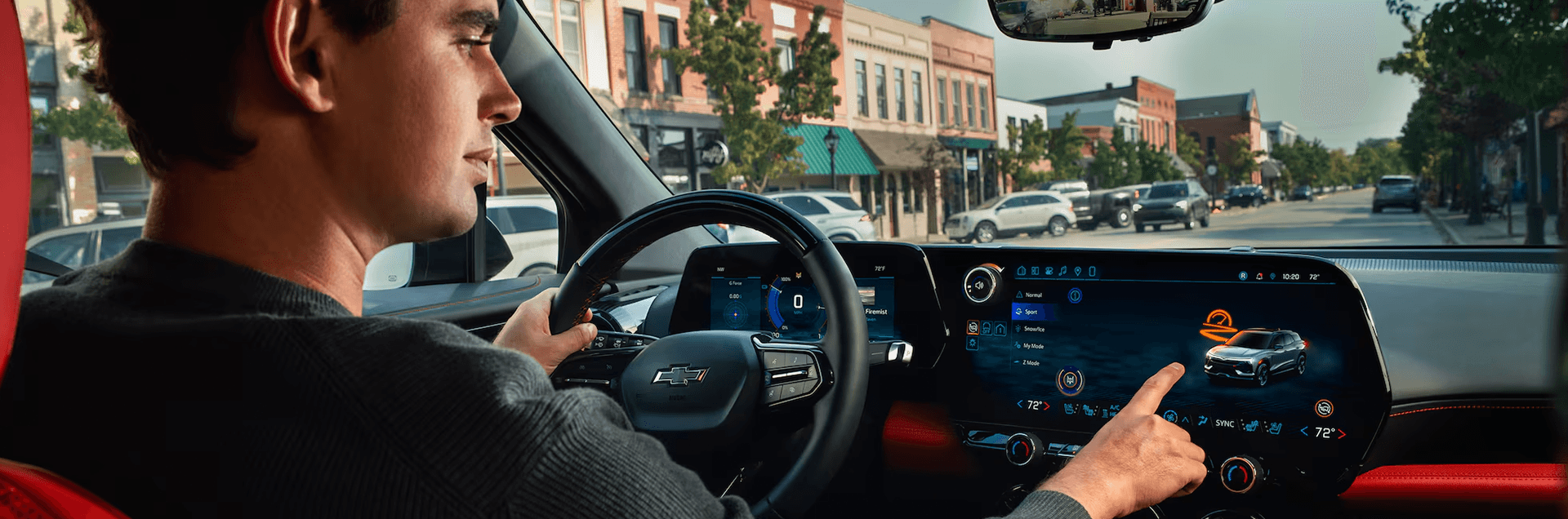
The 2026 Chevy Blazer EV puts your key information and connected tools into a driver focused cockpit. This page highlights the screen layout, what you can do from the driver seat, and how the displays support day to day driving.
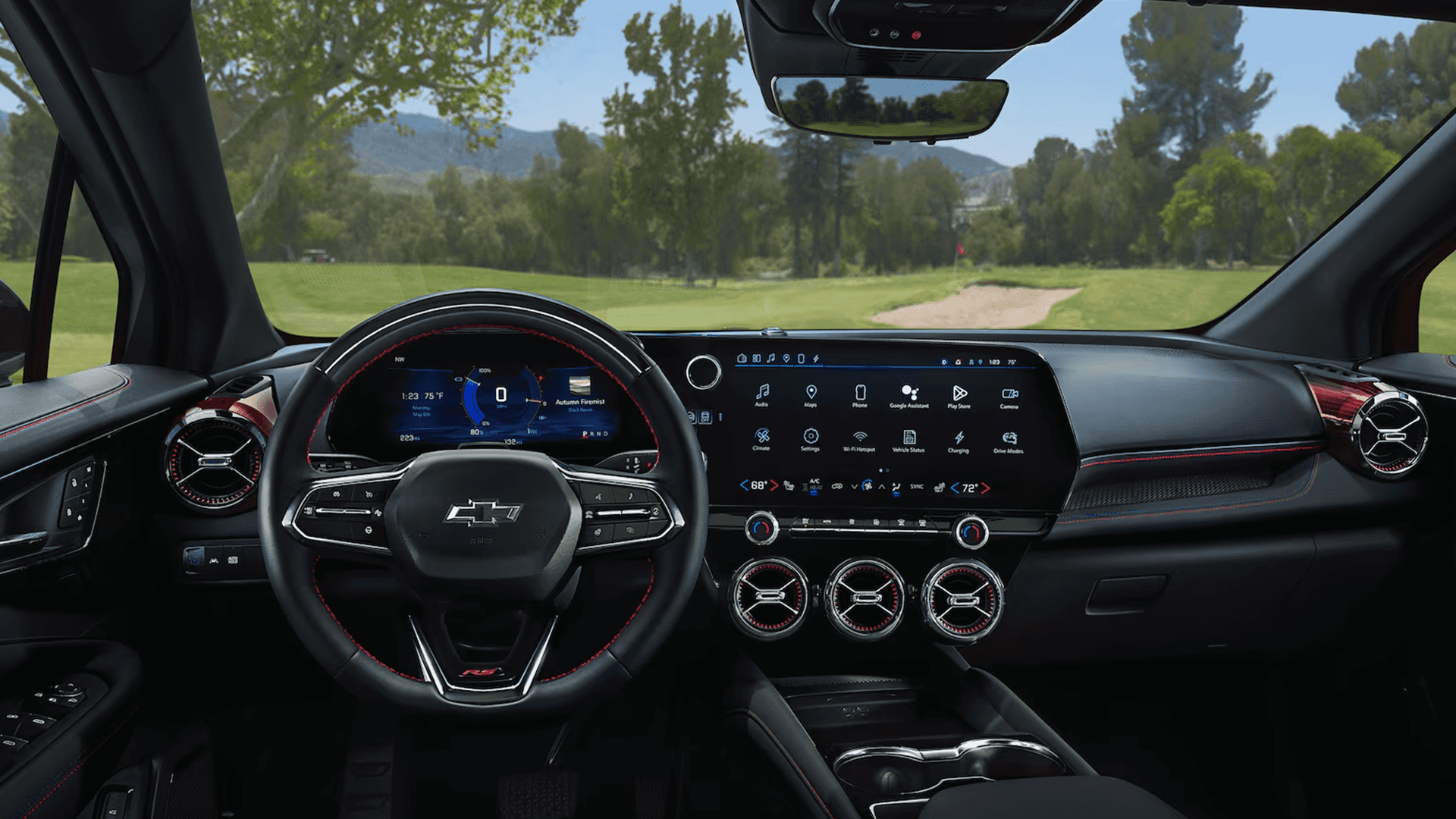
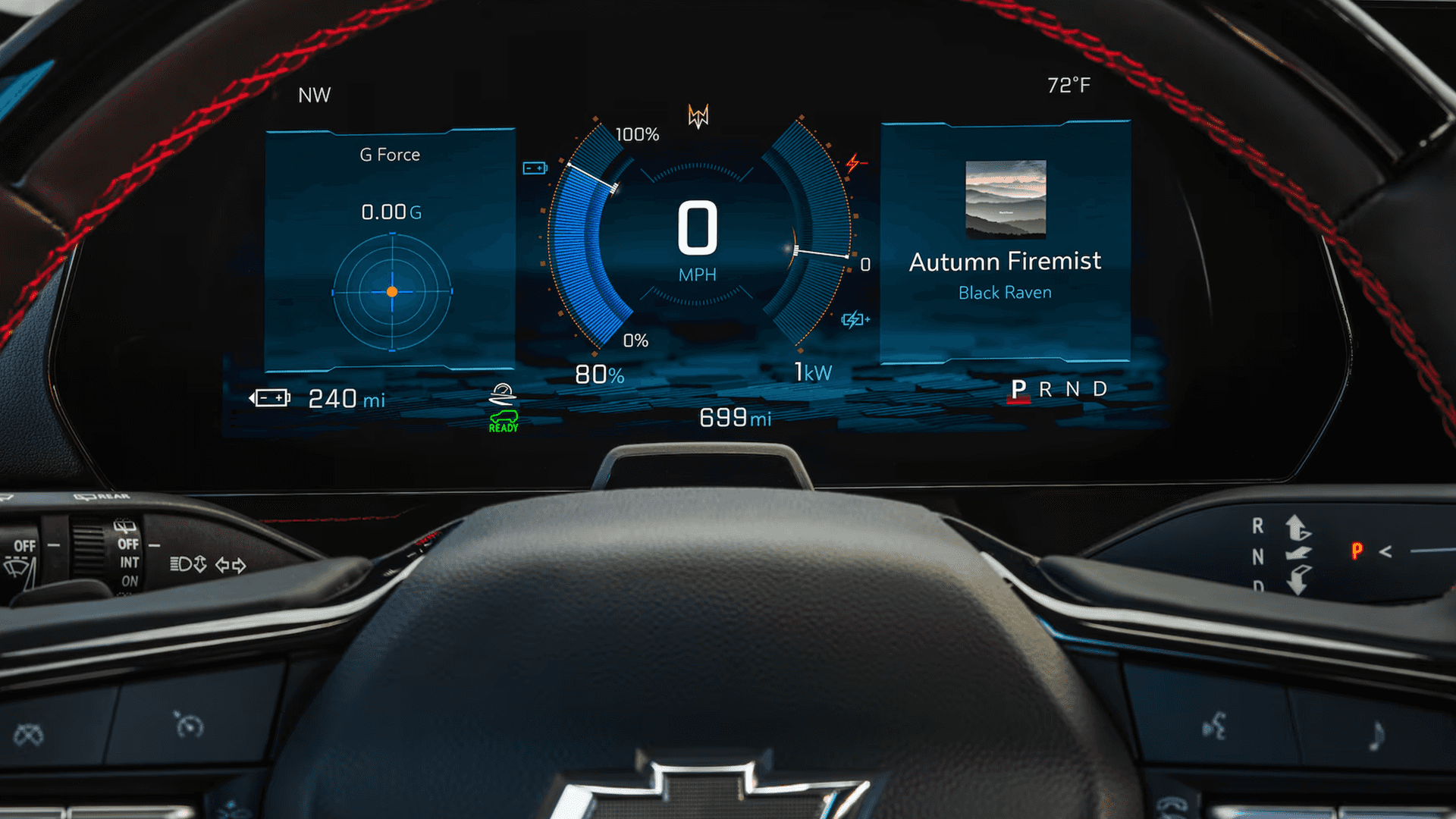
Blazer EV features a best in class 17.7 inch diagonal display screen and an 11 inch driver information screen. Together, they help you keep driving data in view while you manage navigation, media, and vehicle functions from the center display.
This page also covers standard safety and driver assistance technology from Chevy Safety Assist, including Forward Collision Alert, Automatic Emergency Braking, Front Pedestrian Braking, Lane Keep Assist with Lane Departure Warning, and Following Distance Indicator.
If you are researching EV specific capability features, keep in mind this page stays focused on in cabin screens and driver assistance. Charging, range, regenerative braking features, and other EV capability topics are covered on a separate Blazer EV capability and EV technology page.
A Driver Focused Screen Setup for Daily Driving
The 2026 Chevy Blazer EV features a best in class 17.7 inch diagonal display screen paired with an 11 inch driver information screen. This two screen layout is designed to keep driving information in view while giving you a large, easy to reach hub for connected features.
From the driver seat, the center display can act as your main control surface for key in cabin tasks like selecting apps, adjusting settings, and viewing compatible connected features. The driver information screen supports awareness by keeping core driving data and alerts directly in front of you.
Why Two Screens Matter in Real Driving
When driving situations change quickly, it helps to separate driving data from entertainment and navigation tasks. With information presented across both screens, you can keep your attention where it belongs while still using the connected features that make daily driving easier.
Highlights to Look For:
- Best in class 17.7 inch diagonal display screen
- 11 inch driver information screen
Customize What You See and How You Use the Screens
Chevrolet notes there are many ways to customize the displays in your vehicle so they show the information most important to you. That flexibility helps you shape the cockpit around how you drive, not the other way around.
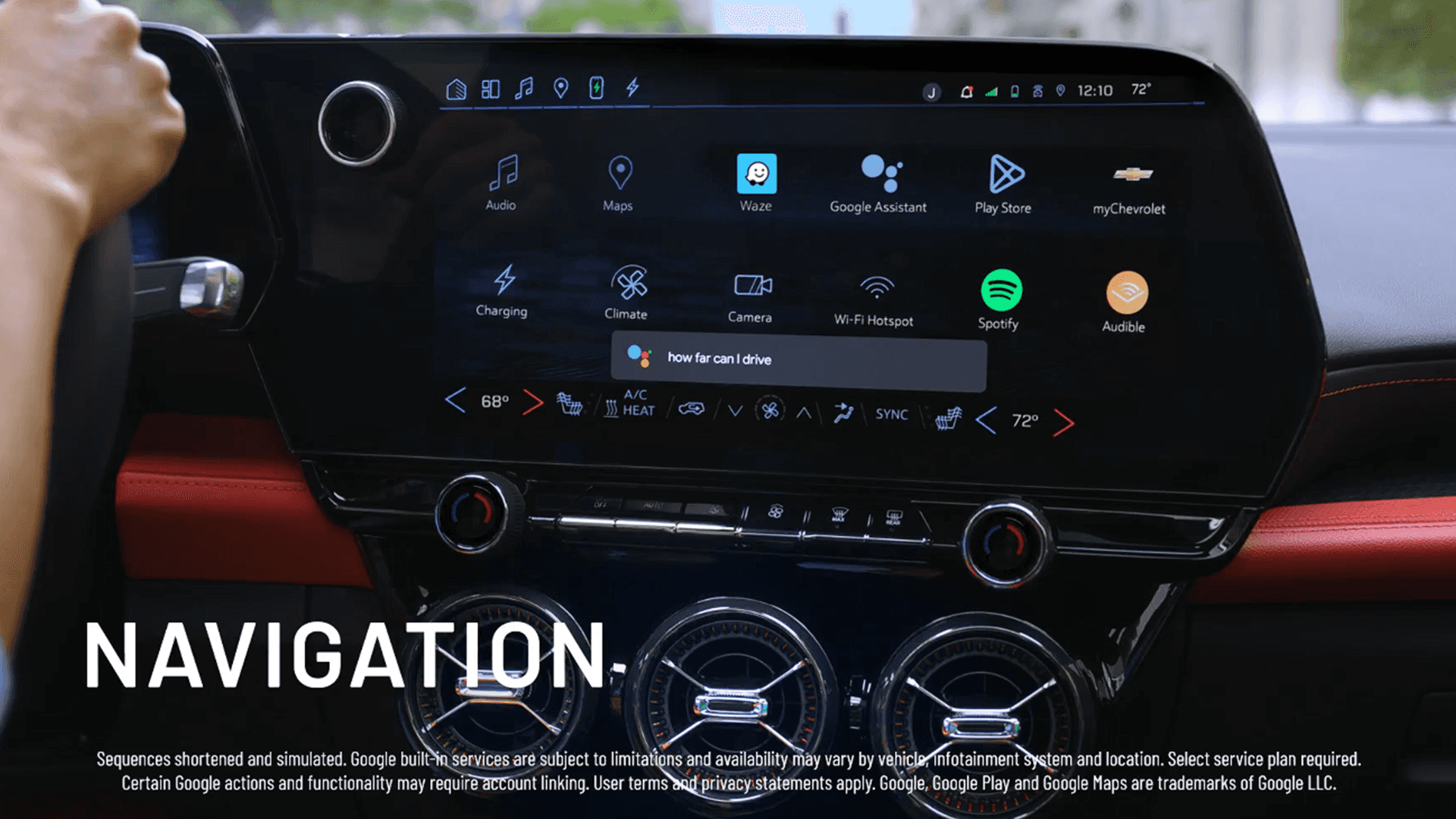
From the center display, you can add shortcuts by dragging and dropping app icons into the App Tray, creating quick access duplicates for the features you use most. You can also press and hold an app icon to rearrange apps on the Home screen.
Cluster Views and Map Guidance Options
Chevrolet also describes ways to simplify what appears on your cluster display, including using a Cluster View button to access Clean or Minimal views. If equipped, built in Google Maps can display route directions in the cluster display with an active route, and you can adjust turn by turn guidance settings within the display settings.
For nighttime driving, Chevrolet describes using the thumbwheel on the dashboard to brighten or dim the cluster display when your headlamps or parking lamps are on. You can also enter Night Mode by adjusting the thumbwheel all the way down to reduce display brightness.
Google built-in Compatibility for a More Personalized Drive
The 2026 Chevy Blazer EV offers Google built-in compatibility. Chevrolet positions this as a way to make every drive more simplified and personalized, keeping key connected tools available through the vehicle interface.
If you want your navigation and entertainment routines to stay consistent, Google built-in compatibility helps keep your experience screen centered. It also supports a cleaner routine behind the wheel since common connected tasks can be managed through the main display.
A Cabin Experience Built Around the Main Display
When the center display becomes your primary hub, it is easier to build a daily rhythm for routing, media, and settings. If screen usability is high on your priority list, this is a technology item worth comparing while you shop trims and packages.
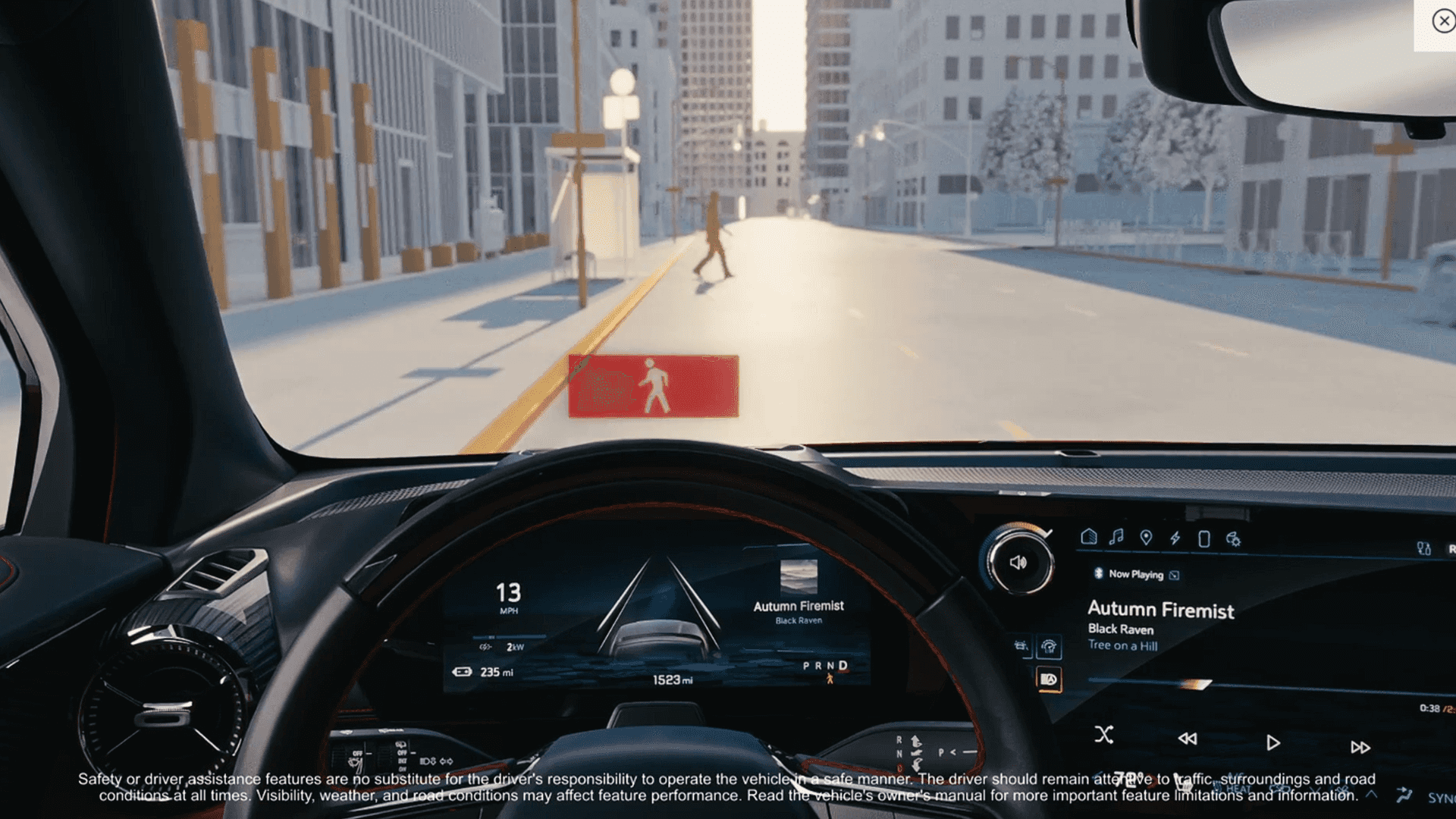
Standard Chevy Safety Assist Features That Support Awareness
Chevrolet states the 2026 Blazer EV offers over 15 standard safety and driver assistance features, including Chevy Safety Assist. Chevy Safety Assist is a suite of six advanced features designed to help support you in common driving situations.
Within Chevy Safety Assist, Chevrolet lists Forward Collision Alert and Automatic Emergency Braking, Front Pedestrian Braking, Lane Keep Assist with Lane Departure Warning, and Following Distance Indicator. These features are designed to assist the driver and do not replace attentive driving.
Driver Assistance That Works in the Background
If your goal is to reduce stress in traffic and stay more aware on the road, these standard features are worth prioritizing. They are designed to provide alerts, assist with braking in certain situations, and help you stay centered in detected lane lines when you may be drifting unintentionally.
Highlights to Look For:
- Chevy Safety Assist is standard
- Forward Collision Alert and Automatic Emergency Braking are included
- Front Pedestrian Braking is included
- Lane Keep Assist with Lane Departure Warning is included
- Following Distance Indicator is included
Browse Current Inventory
Explore our available selection and find the right fit for your needs. Inventory updates regularly, so check back often for the latest availability, trims, and options.
Contact Us
Questions or want to schedule a test drive?
Give us a call or send us a message below.
Frequently Asked Questions
Does the 2026 Chevy Blazer EV have a large center display screen?
Yes. Chevrolet lists a best in class 17.7 inch diagonal display screen on the 2026 Blazer EV.
Does the 2026 Chevy Blazer EV have a driver information screen?
Yes. Chevrolet lists an 11 inch driver information screen on the 2026 Blazer EV.
Can you customize the displays in the Chevy Blazer EV?
Yes. Chevrolet describes multiple ways to customize the displays, including adding shortcuts on the center display, changing cluster views, and adjusting brightness settings.
Does the 2026 Chevy Blazer EV offer Google built-in compatibility?
Yes. The 2026 Blazer EV offers Google built-in compatibility.
Is Chevy Safety Assist standard on the 2026 Chevy Blazer EV?
Yes. Chevrolet lists Chevy Safety Assist as part of the standard safety and driver assistance features on the 2026 Blazer EV.
Does Chevy Safety Assist for the 2026 Blazer EV include Forward Collision Alert and Automatic Emergency Braking?
Yes. Chevrolet lists Forward Collision Alert and Automatic Emergency Braking within the Chevy Safety Assist feature set for the 2026 Blazer EV.
Does the 2026 Chevy Blazer EV include Front Pedestrian Braking?
Yes. Chevrolet lists Front Pedestrian Braking as part of the Chevy Safety Assist feature set for the 2026 Blazer EV.
Does the 2026 Chevy Blazer EV include Lane Keep Assist with Lane Departure Warning?
Yes. Chevrolet lists Lane Keep Assist with Lane Departure Warning within the Chevy Safety Assist feature set for the 2026 Blazer EV.
Does the 2026 Chevy Blazer EV include a Following Distance Indicator?
Yes. Chevrolet lists Following Distance Indicator within the Chevy Safety Assist feature set for the 2026 Blazer EV.
